> ## Documentation Index
> Fetch the complete documentation index at: https://studio-docs.prem.io/llms.txt
> Use this file to discover all available pages before exploring further.
# Create an API Key
> Learn how to create an API key to authenticate with the Prem API.
## Create an API Key 🔑
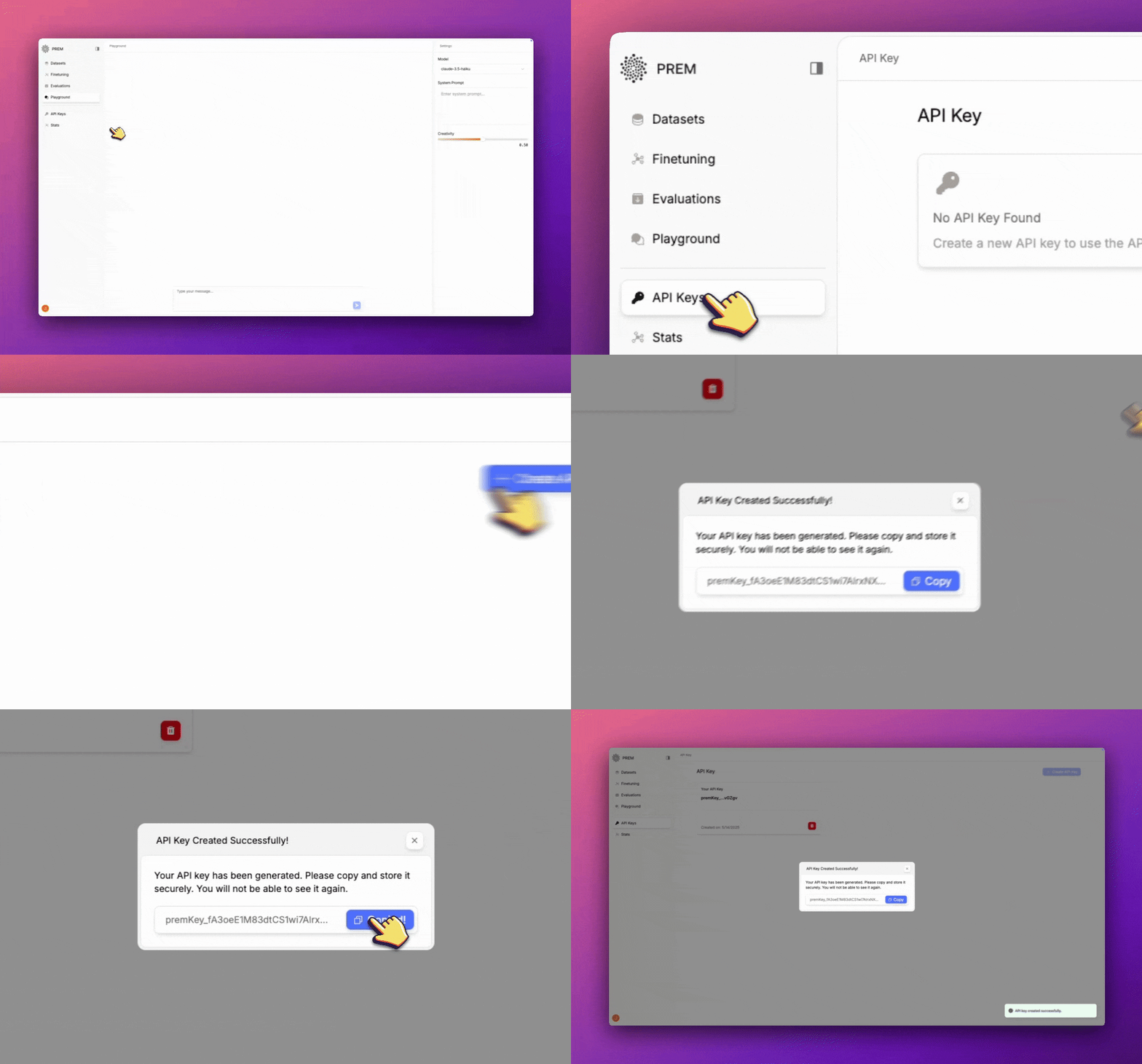
To use the Prem API, you need to create an API key. Follow these steps:
1. **Create an account** on [Prem Studio](https://studio.premai.io) if you haven't already.
2. Navigate to the [API Keys page](https://studio.premai.io/apiKeys) or click the **API Key** button on the sidebar in the Prem Studio platform.
3. Click the **+ Create API Key** button.
4. Copy the API key and save it in a secure location.
 ## Using Your API Key
Once you have your API key, you can use it to authenticate API requests. Include it in the `Authorization` header as a Bearer token:
```bash theme={null}
Authorization: Bearer YOUR_API_KEY
```
Keep your API key secure and never share it publicly. If you suspect your API key has been compromised, you can revoke it and create a new one from the API Key section in Prem Studio.
## Using Your API Key
Once you have your API key, you can use it to authenticate API requests. Include it in the `Authorization` header as a Bearer token:
```bash theme={null}
Authorization: Bearer YOUR_API_KEY
```
Keep your API key secure and never share it publicly. If you suspect your API key has been compromised, you can revoke it and create a new one from the API Key section in Prem Studio.