> ## Documentation Index
> Fetch the complete documentation index at: https://studio-docs.prem.io/llms.txt
> Use this file to discover all available pages before exploring further.
# Bring Your Own Evaluation
> Learn how to bring your own evaluation to Prem.
# Why Bring Your Own Evaluation?
You can bring your own evaluation to Prem. This is useful if you have a custom evaluation that you want to use for your model.
You may be coming from another platform like Modal and want to bring your own evaluation methods to Prem.
# How The Evaluation Process Works
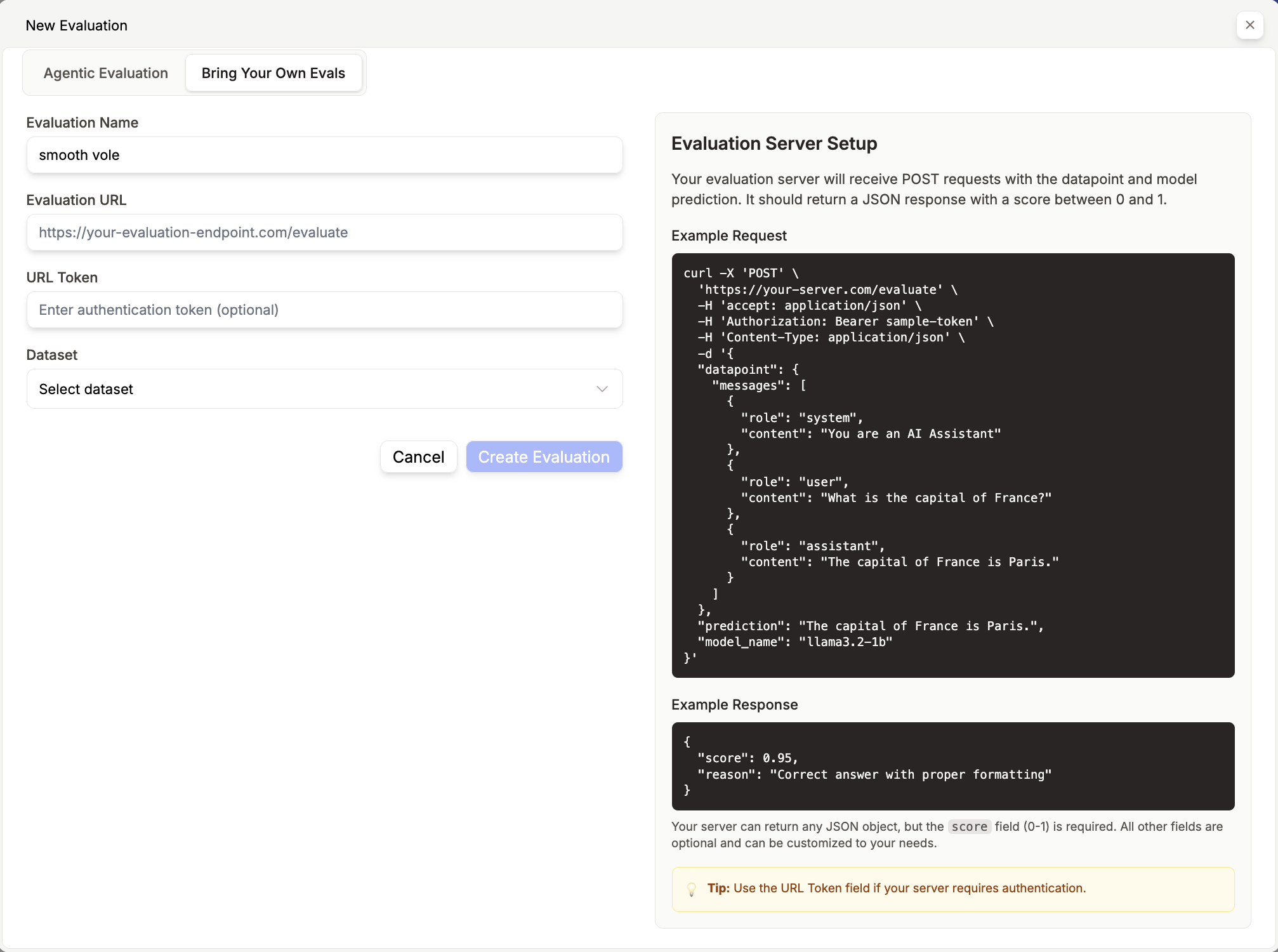
The Prem Studio server sends your evaluation endpoint three key components:
* Each datapoint from your selected snapshot
* The model names being tested
* The corresponding responses
Your endpoint should return a numerical score and reasoning for each evaluation.
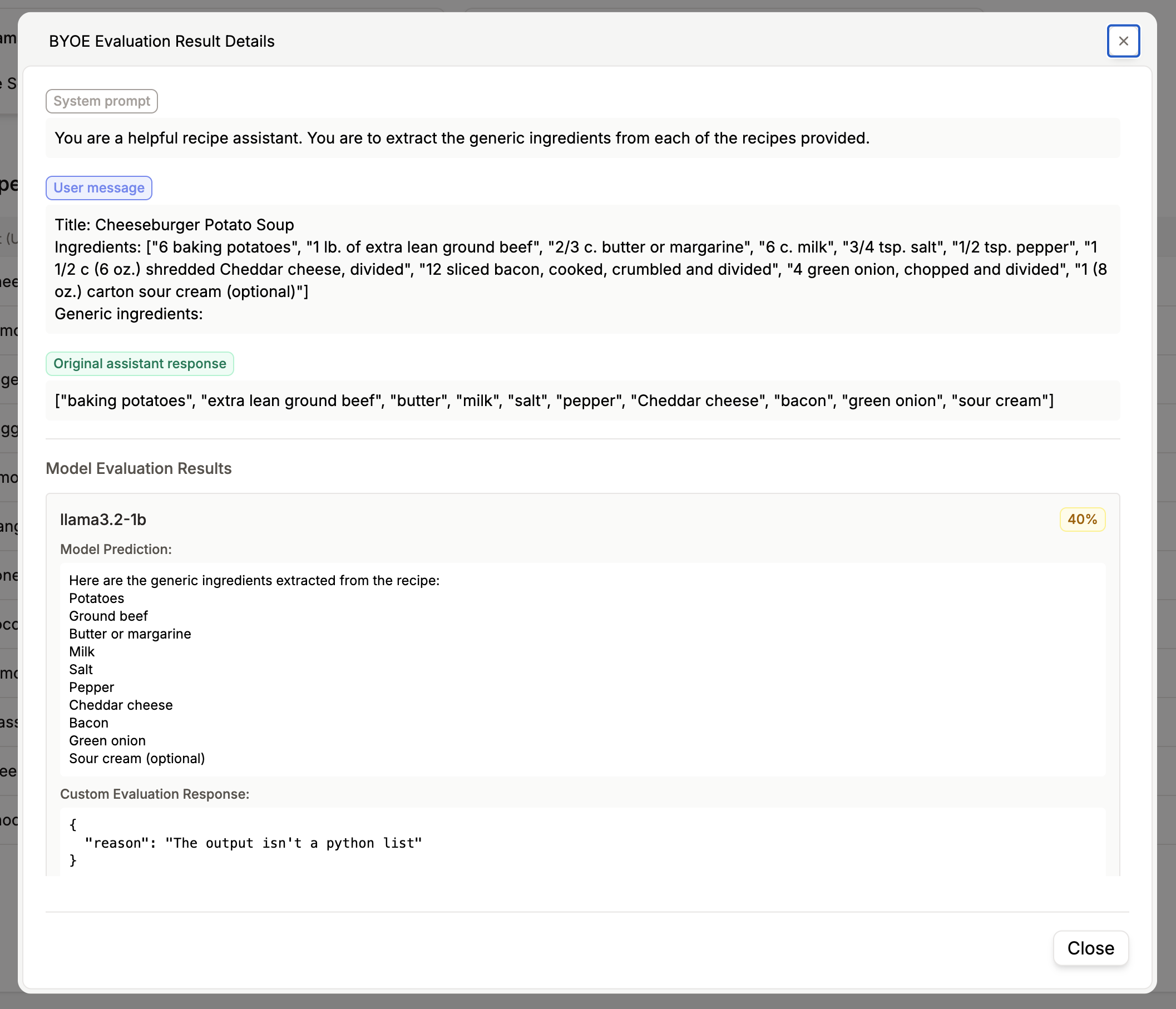
The evaluation results—including scores and any additional metadata—will be displayed in the final dashboard. This approach allows you to conduct comprehensive in-house evaluations using Prem's infrastructure and models while keeping your proprietary evaluation logic secure
 # How to Bring Your Own Evaluationw
1. Go to the [Evaluations](/evaluations) page.
2. Click on **Create Evaluation**.
3. Click on **Bring Your Own Evaluation**.
4. Upload your evaluation file.
5. Click **Confirm** to create the evaluation.
In order to start evaluation by bringing your own evaluator to Prem, you need to create an evaluation endpoint on the service you are using, which Prem Studio will ping with the selected dataset you want to evaluate.
***You can see here for more details:***
# How to Bring Your Own Evaluationw
1. Go to the [Evaluations](/evaluations) page.
2. Click on **Create Evaluation**.
3. Click on **Bring Your Own Evaluation**.
4. Upload your evaluation file.
5. Click **Confirm** to create the evaluation.
In order to start evaluation by bringing your own evaluator to Prem, you need to create an evaluation endpoint on the service you are using, which Prem Studio will ping with the selected dataset you want to evaluate.
***You can see here for more details:***