> ## Documentation Index
> Fetch the complete documentation index at: https://studio-docs.prem.io/llms.txt
> Use this file to discover all available pages before exploring further.
# Evaluation Metrics
> Learn about the evaluation metrics available in Prem and how to create your own.
Traditional deterministic metrics used for language models (such as token accuracy) are insufficient for evaluating LLMs. Therefore, we define several abstract evaluation concepts as:
* **Correctness**: Measures the factual accuracy and correctness of the response
* **Conciseness**: Measures how concise and to-the-point the response is without unnecessary information
* **Hallucination**: Measures whether the response contains made-up or fabricated information
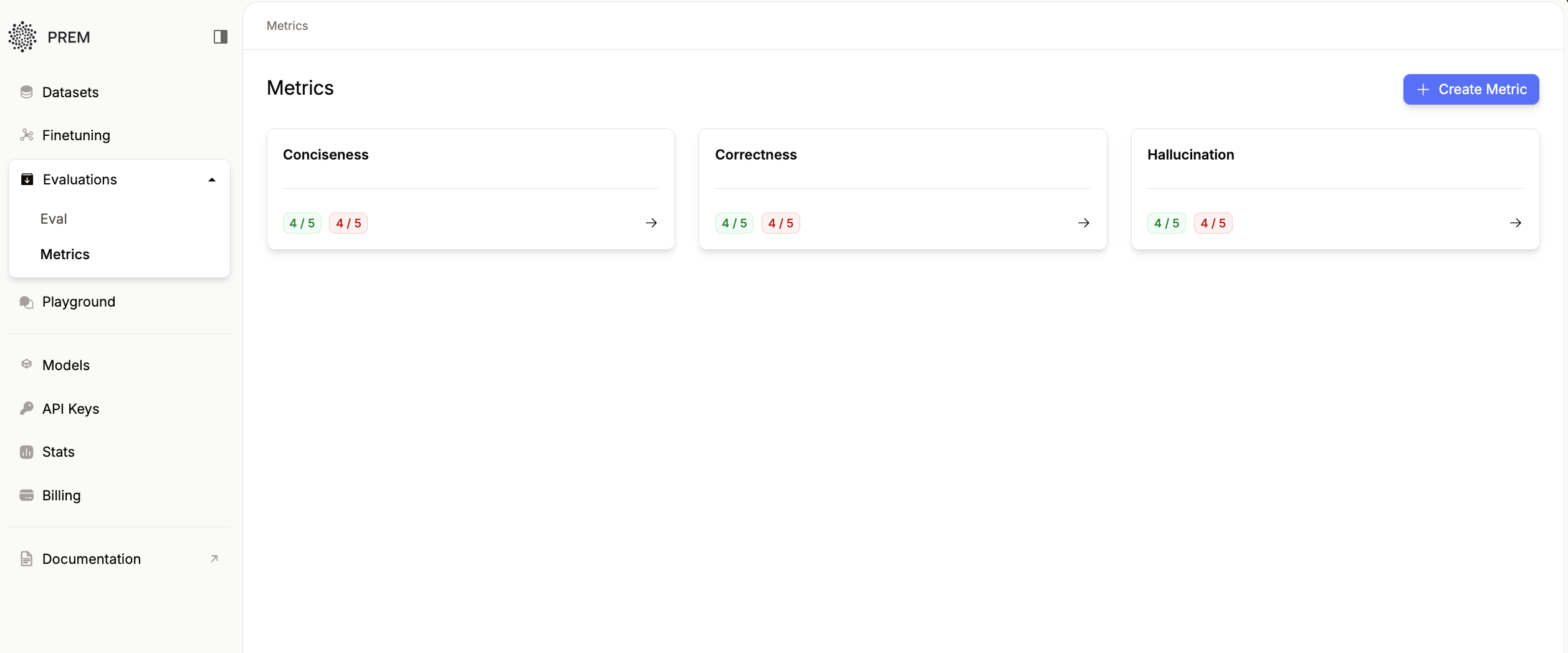 Each metric has its own defined rules. In case of metrics like: token-accuracy has code based rules. For metrics like above, we have natural language conditioned rules called Rubrics.
# Evaluation Rules
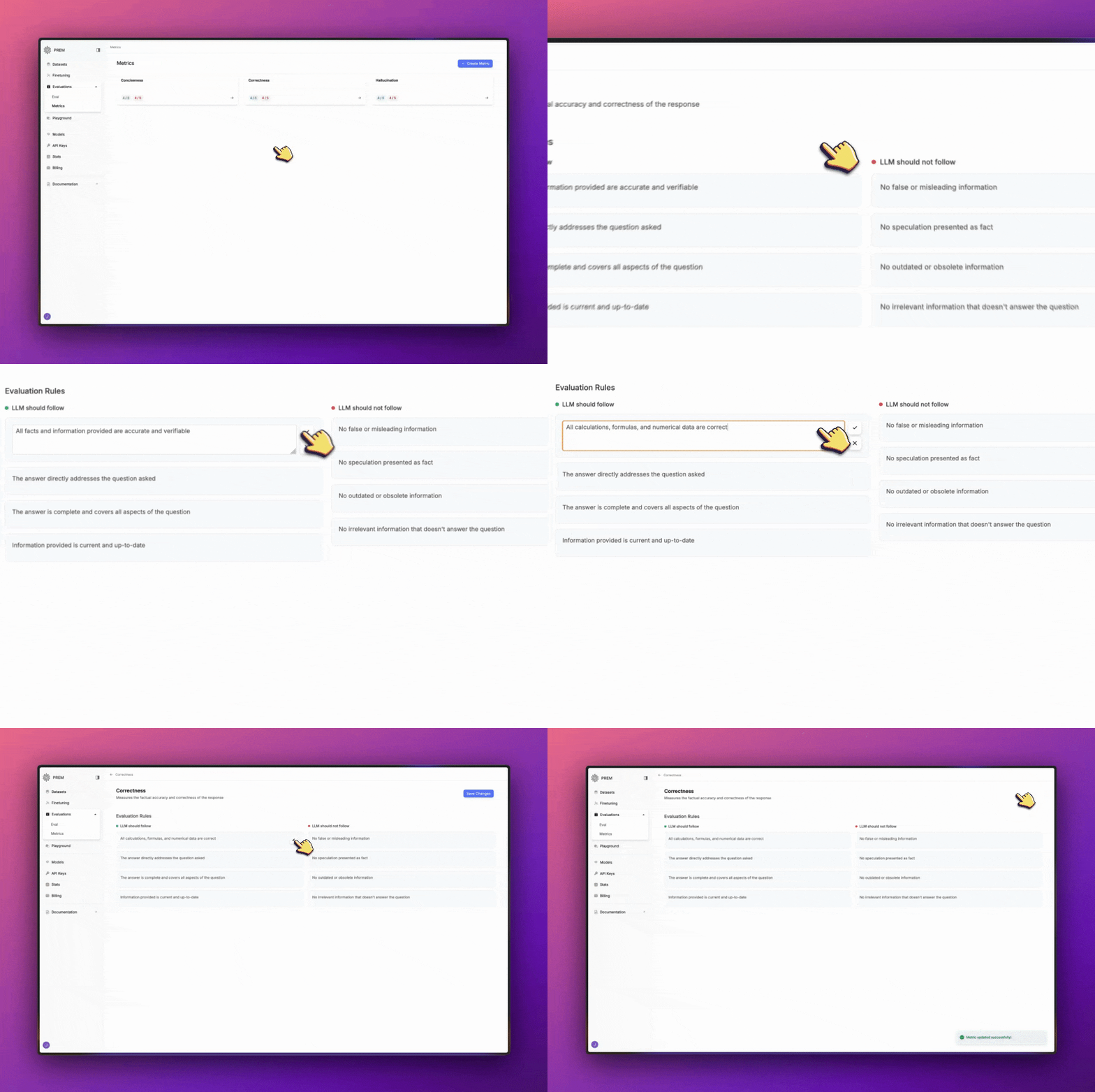
You can edit evaluation metrics by rules the LLM should follow and rules the LLM should not follow.
Just hover over each rule, and click on the pencil icon to edit it. When you're done, click on the checkmark icon to save your changes.
Each metric has its own defined rules. In case of metrics like: token-accuracy has code based rules. For metrics like above, we have natural language conditioned rules called Rubrics.
# Evaluation Rules
You can edit evaluation metrics by rules the LLM should follow and rules the LLM should not follow.
Just hover over each rule, and click on the pencil icon to edit it. When you're done, click on the checkmark icon to save your changes.
 # Create Your Own Metrics
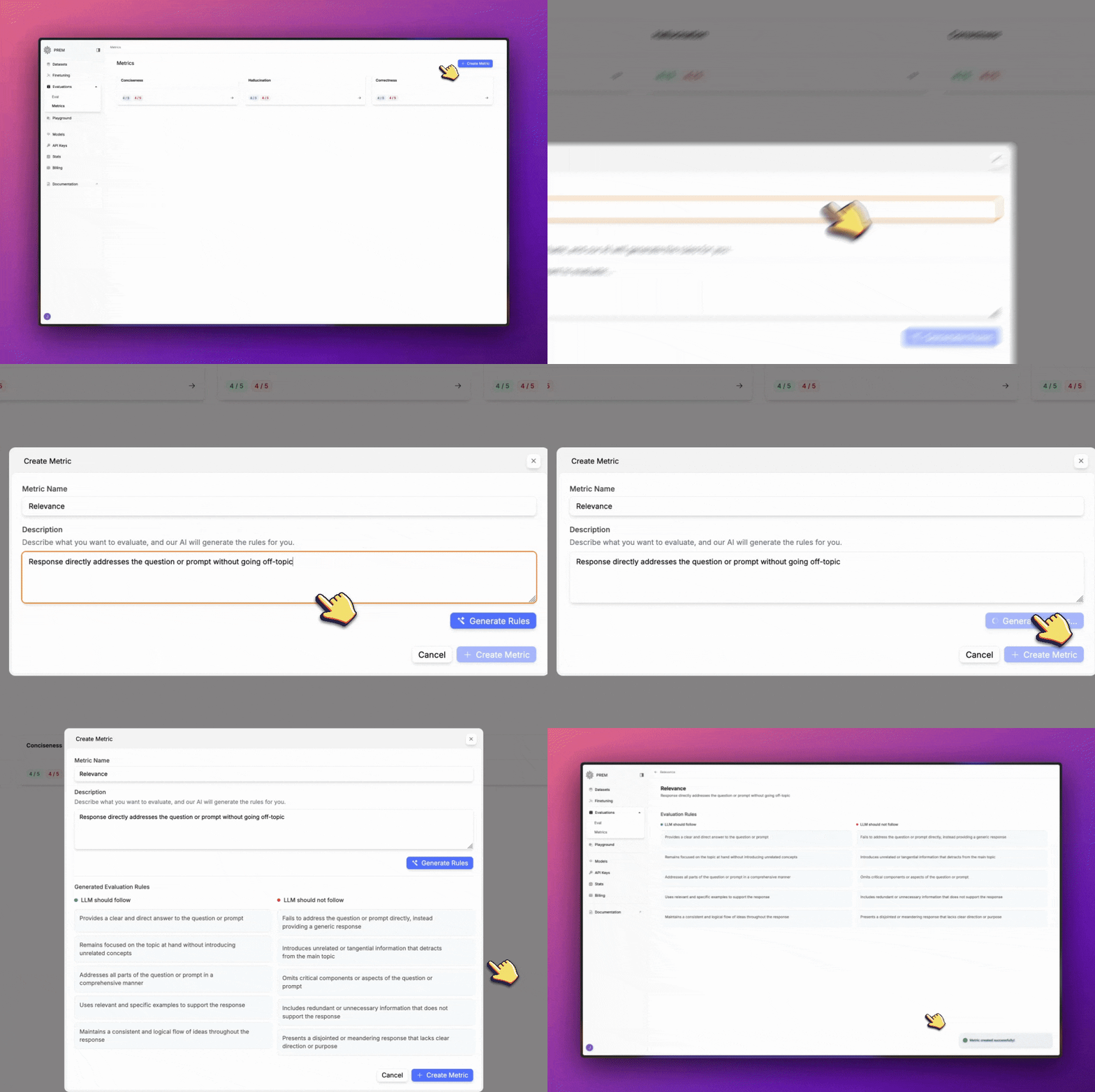
You can create your own metrics by clicking on the **Create Metric** button.
* Give your metric a name
* Write a description for your metric
* Click **Generate Rules** to generate the rules for your metric
# Create Your Own Metrics
You can create your own metrics by clicking on the **Create Metric** button.
* Give your metric a name
* Write a description for your metric
* Click **Generate Rules** to generate the rules for your metric
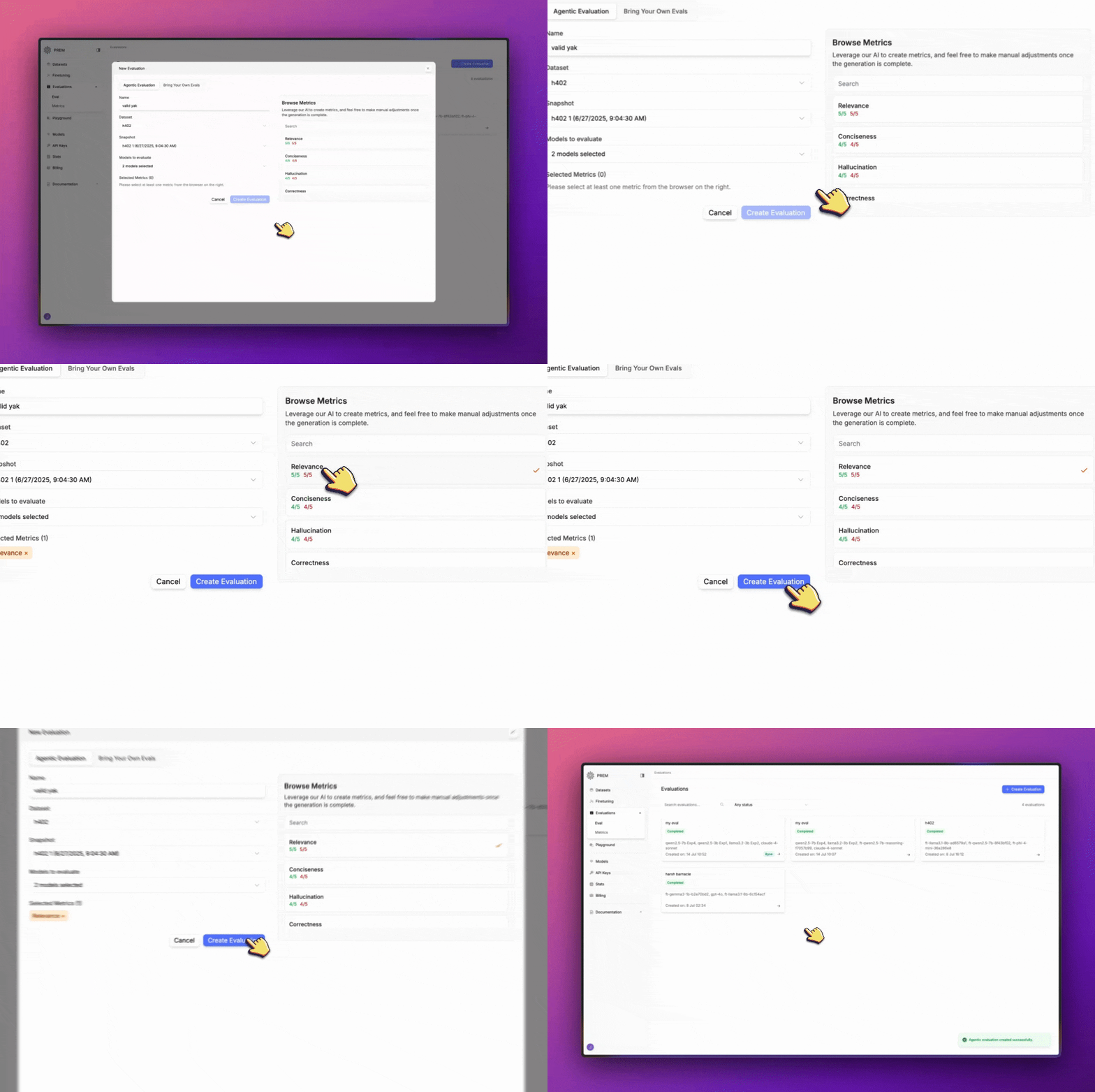
 So now when you are creating a new evaluation, you can select your custom metric from the list.
 ### Check out these other resources to learn more about evaluations:
Click here to learn more about evaluations.
Click here to learn how to create your own evaluation.
Click here to learn how to bring your own evaluation to Prem.
### Check out these other resources to learn more about evaluations:
Click here to learn more about evaluations.
Click here to learn how to create your own evaluation.
Click here to learn how to bring your own evaluation to Prem.