

What is the Playground?
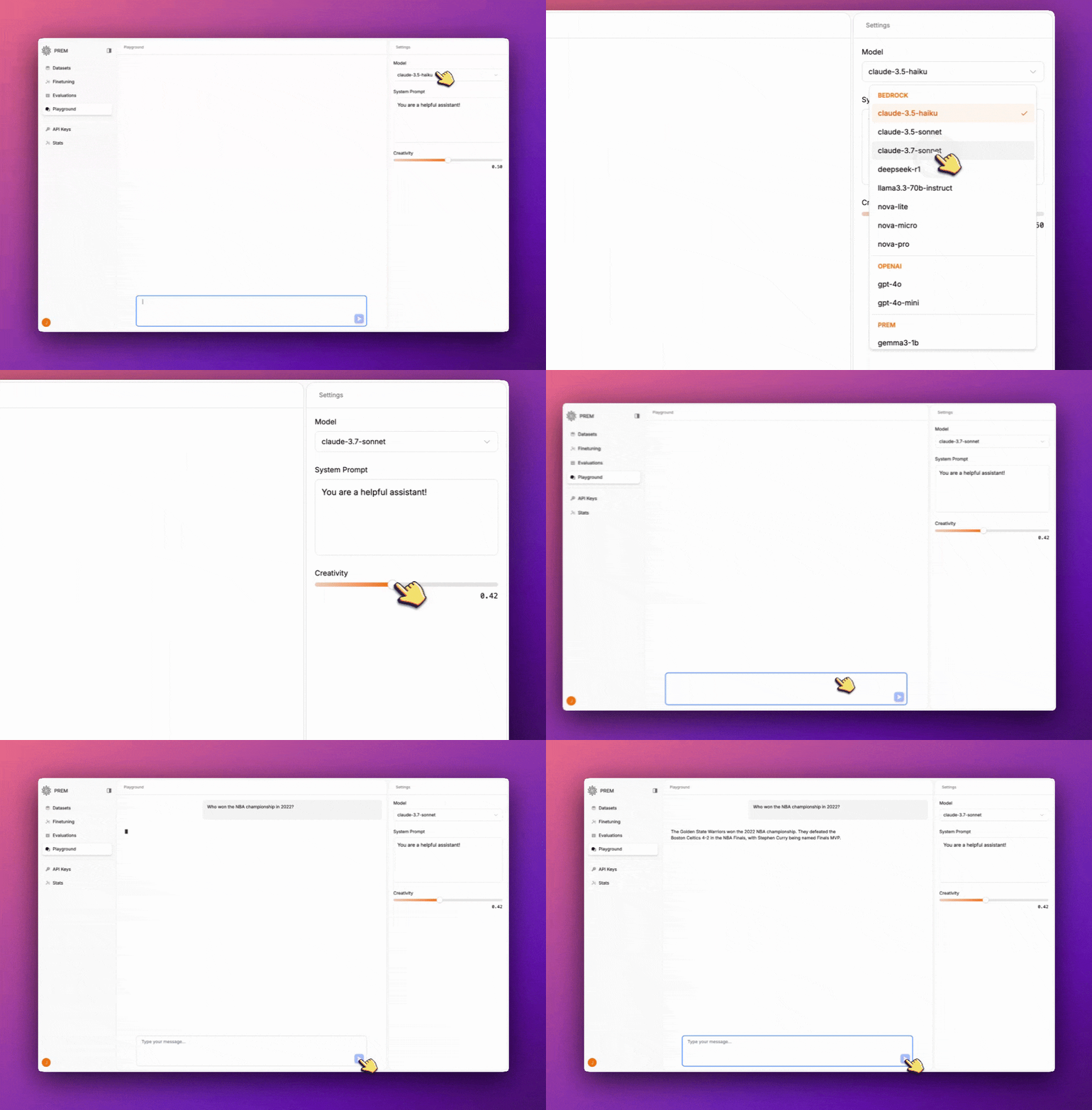
The Playground is an interactive environment where you can test and chat with AI models in real time. It offers a simple yet powerful interface for exploring AI model capabilities through conversation.Getting Started ↓
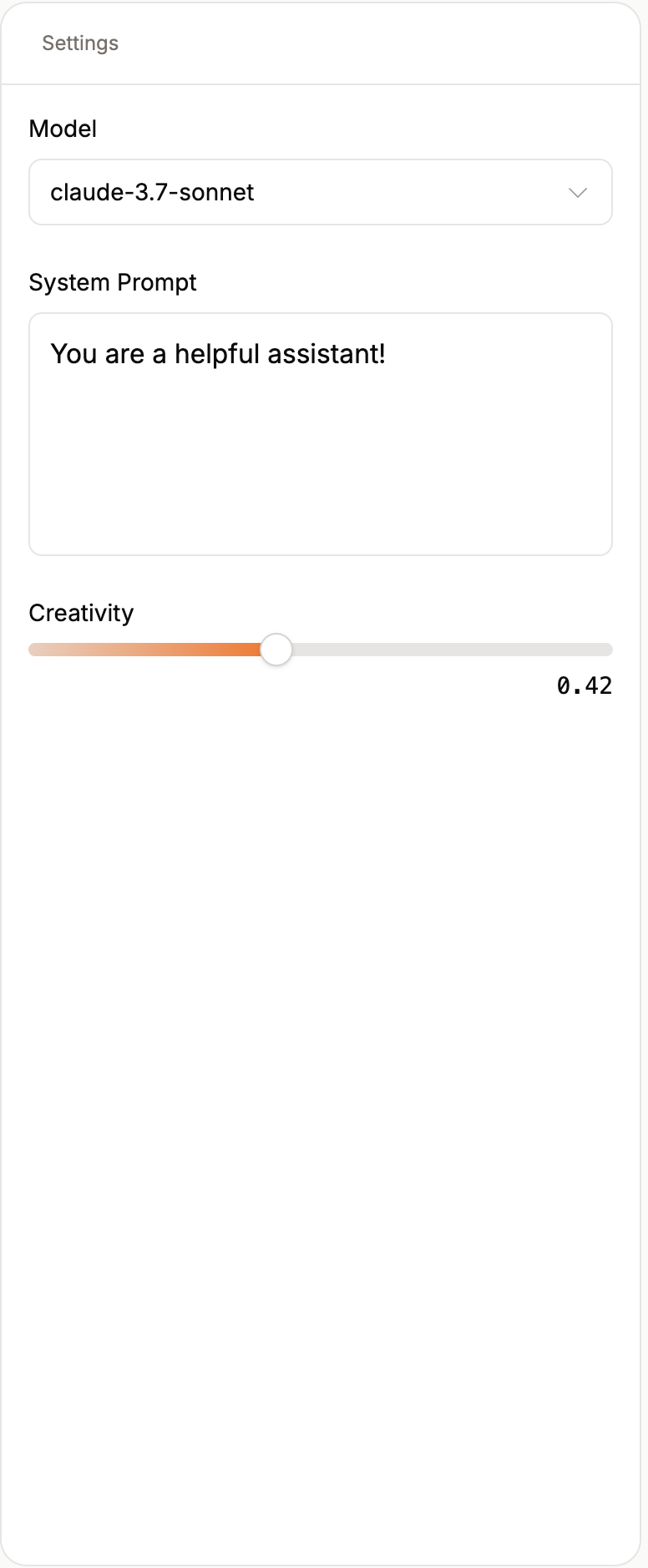
- Select your desired AI model from the dropdown menu
- Customize the system prompt based on your use case
- Adjust the creativity level using the slider
- Start chatting with the model to test its capabilities
Features/Settings
- Test AI Models: Experiment with various pretrained or fine-tuned AI models
- Interactive Chat: Engage in conversations with selected models
- Model Selection: Choose from different available models to test
- System Prompt Customization: Modify the system prompt to guide the model’s behavior
- Creativity Control: Adjust the creativity level of responses using a simple slider
Learn More With Our Other Guides
Client SDKs
Learn how to use the PremAI SDK and OpenAI SDK.
Autonomous Fine-Tuning
Learn how you can use Prem to autonomously fine-tune your models.
Evaluations
Learn how you can evaluate your models with our built-in metrics and tools.
Stats
Learn how you can monitor your models and their performance over time.
Support
FAQ
Find answers to frequently asked questions about Prem.
Available Models
See the list of available models in Prem.